
Google Play Store tags are phrases or terms that you use for the app’s easy identification. These tags help users search and choose the most relevant apps on the Play Store. Using these tags, you can tell Google’s algorithm as to which app group you belong to. So, by falling into the right app category, the search results are most accurate and relevant when the app store visitor browses. The app store tags you select remain the same for all the countries with your app’s presence. You cannot use different ones to describe your app features in each country.
Importance of Google Play Store tags
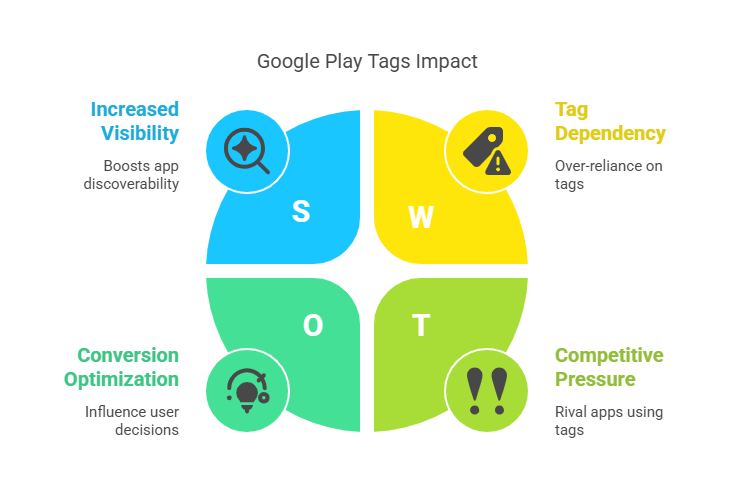
- Google Play tags can significantly boost your app’s visibility. Their role is similar to that of keywords, facilitating easy search and find for the app store visitor.
- App store visitors can see the tags you and your competitor have used to compare and decide. Therefore, using the correct tags to influence conversion rates is crucial.
- Google Play store considers several aspects before making app recommendations. One of them is Google Play store tags. The Google Play algorithm looks for a perfect app store listing and tags for ranking search results.
- The App store strives to provide a great experience to all its users. This also includes giving the app store visitor the most relevant content and service. Google Play Store tags are the best means to achieve this.
- Google Play tags can indicate your position in the app store and the similar apps you are competing with. This analysis can help you improve and rank better.
- Tags can influence your app’s ranking and discoverability by instantly giving the potential user an overview of the app. Google mainly uses tags to group apps under the ‘Similar apps’ section. This Google recommendation can boost your app traffic.
Steps to add Google Play Tags.
Google Play Store Tags are available in the Console. It is important to select tags that are relevant to your app and convey the app’s core feature. Google Play looks through the tags to categorize your app and make accurate recommendations. The steps to add tags are as follows:
- Go to Google Play Console.
- Select the app you want to update.
- Go to Grow -> Store presence -> Store settings.
- Under the App category section, select the relevant app type and category.
- Then select Manage tags to choose and apply tags.
- You can add tags from the “Suggested tags” list.
- You can also search under other tags or use the category filter to find the right one.
- Save the changes after adding the tags.
You can use up to five tags for your app. So choose the most relevant tags that best describe the app’s functionality. The update will take up to 24 hours to reflect in your app.
Choosing Play Store tags.
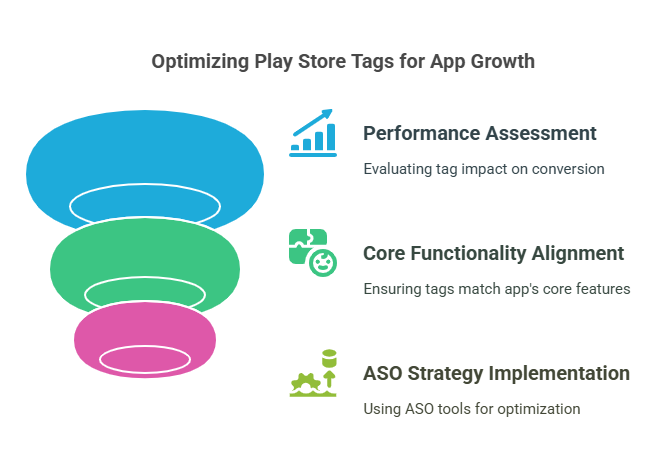
After your select the perfect tags for your app, you need to assess the performance of these tags. It is essential to collect details and evaluate the influence of the Google Play tags on the app’s conversion. You don’t need to use all five slots for the tags; sometimes, it may distort the search results and affect the app ranking.
Use the terms that are most relevant to your app’s core functionality. Therefore, choosing the right tag is the deciding factor for your app’s visibility. A proper app store optimization strategy is essential to track and study the performance of the tags. The ASO tool can help you pick the right Google Play Store tags and boost your app’s growth.

