
The minute I say Netflix, the image that instantly comes to mind is the bright-bold-red N in the capital letter on a black background. That is the kind of impact that a perfect app icon should create in the users’ minds. The instant spark to recollect and remember everything about your app’s brand image is essential. Therefore, the app developer must design a highly responsive app icon before launching the app.
The app icon is the most innovative and smallest visual depiction of the values and benefits of the app. So, you must put much thought, time, and effort into designing an ideal and appealing app icon. The app icon appears on the home screen, in the app store, in the status, and on all of the app’s visual marketing, acting as the voice for the app every time and at every place the user sees it. Hence it becomes the crucial element for the app store optimization.
Best iOS App Icon Guidelines
The app icon is the powerful deciding element to get your app instantly recognized or neglected by the user. Here are the key points to remember while designing an app icon.
- Use a recognizable easy symbol – Regardless of the icon size, the app icon should be understandable. Unnecessary visual effects or long texts might become a distraction. Use familiar symbols that instantly convey the purpose of the app.
- Use simple visuals – do not go overboard with colors or effects. The user should not have to squint to read the app icon. Focus on a single feature that evokes a response from the user.
- Go light on text – avoid texts, especially long ones. Instead, choose the first letter of the app name on a bright background. E.g., Facebook, Uber, Pinterest.
- Choose colors wisely – pick contrasting vibrant colors for the text in the app and the background. If choosing the most common colors, your app might be lost with the competitors.
- Run the A/B test for your app icon – create several versions of your app icon that you can update or change according to the pulse of the audience.
App Icon size requirements on Apple App Store
According to the Apple devices used, the apple app store has laid a set of guidelines for the app icon pixels to be considered.
Normal iOS App Icon Sizes
| Device | App icon size |
|---|---|
| iPhone | 180px × 180px (60pt × 60pt @3x), 120px × 120px (60pt × 60pt @2x) |
| iPad Pro | 167px × 167px (83.5pt × 83.5pt @2x) |
| iPad, iPad Mini | 152px × 152px (76pt × 76pt @2x) |
Small iOS App Icon Sizes
The small icon is used in the spotlight section or the menu settings, and it should be exactly like the normal app icon without compromising on the look or resolution.
- Spotlight section – iPhone – 120px × 120px (40pt × 40pt @3x), iPad Pro, iPad, iPad mini – 80px × 80px (40pt × 40pt @2x).
- Settings – iPhone – 87px × 87px (29pt × 29pt @3x), iPad Pro, iPad, iPad mini – 58px × 58px (29pt × 29pt @2x).
Do’s and don’ts from the iOS App Icon Guidelines
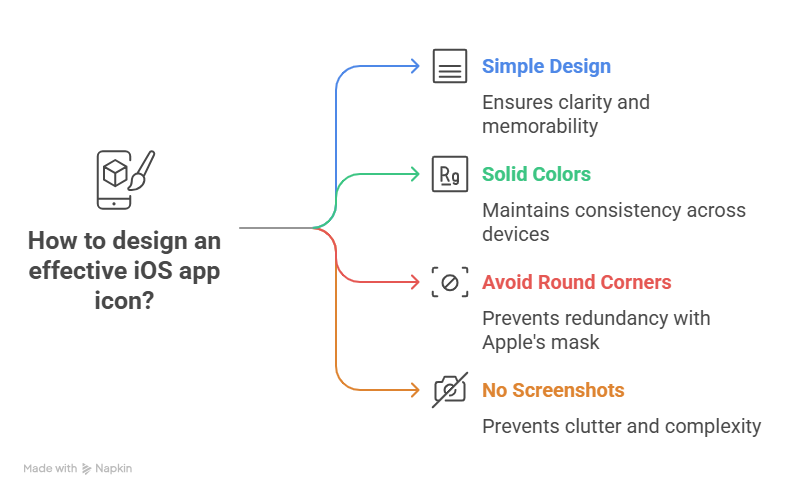
- Apple app icon guidelines suggest maintaining a simple design with very little text, an ideal combination of colors and shapes, and that which is understandable and memorable.
- A complex or confusing app icon is sure to shut the user’s interest. So use solid colors for the background because it is unsure how the transparent ones will look on different devices and settings.
- Apple app store applies round corners mask for the app icons, so do not round the app icon corners.
- Do not use screenshots or photos in the app icon; it becomes congested and too intricate for the user to read.
Remember, the app icon becomes a switch in the user’s mind by being the app’s vital representation, giving it the power to switch off or on the app icon recollection for the user. So use it wisely to benefit the best of it.

