
Studies show that an app visitor spends just a few seconds deciding seconds for deciding whether to download an app or not. Most users prefer viewing visuals or previews rather than reading long descriptions. So, App screenshots play a vital role in holding the user’s attention and encouraging them to learn more and download the app.
App screenshots are essential visual elements that have the power to attract more traffic to the app. Some key aspects that you should remember while creating App screenshots are dimension, aspect ratio, content, and visual effect.
App screenshots play a vital role in expanding your user base. Hence it’s the needed to design eye-catchy screenshots that effectively convey the app’s highlights.
Create App Screenshots Guidelines in Google Play
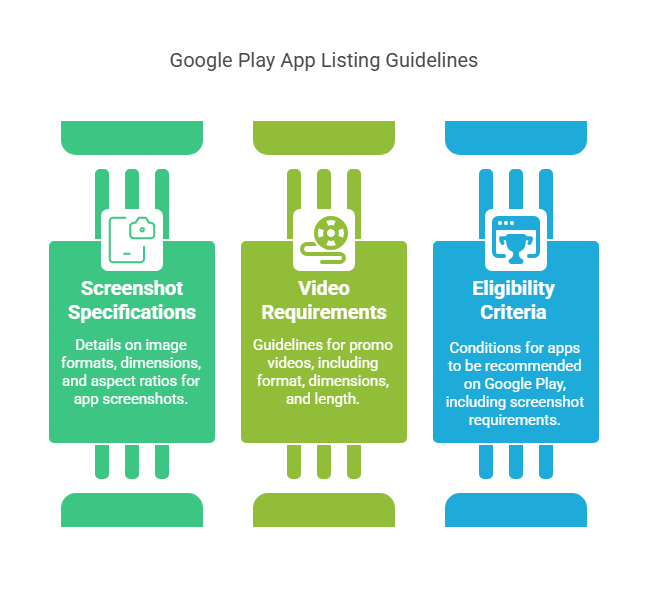
- Google Play allows you to add eight screenshots on the app listing page either in JPEG or 24-bit PNG (no alpha) format.
- The dimension requirements are JPEG or 24-bit PNG, dimension 320 – 3840 pixels, and aspect ratio- 2:1 portrait and 16:9 landscape.
- The preview video is placed as the first screenshot.
- The specifications for a promo video and a feature graphic are JPEG or 24-bit PNG, Dimensions: 1024px by 500px.
- The length of the promo video should be between 30 seconds to 2 minutes in YouTube URL format.
- The eligibility for Google Play recommendations is that apps must provide four screenshots in 1920 x 1080 pixels and at least three landscape screenshots in a 16:9 ratio for game apps.
## Techniques to Create Screenshots For Play Store
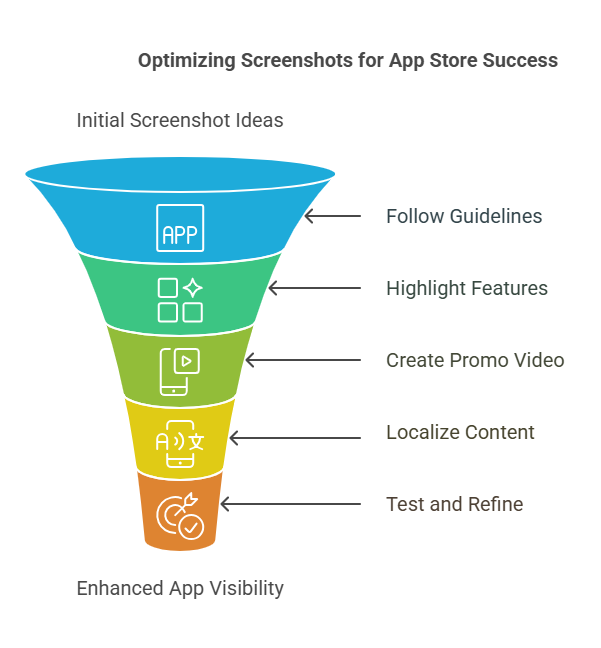
- Follow the screenshot guidelines to be approved by the app stores. Later on, make sure the pixel and ratio are followed to make the screenshots accessible across multiple devices.
- Every screenshot is an opportunity to highlight the best app features. So make use of all screenshot slots effectively.
- You’ve to showcase the app’s functionality through the promo video. Therefore, design the video to demonstrate the app’s key features, benefits, and UI strikingly.
- Display the app’s latest updates and prominent features in the first few screenshots. This can attract new users to download the app and bring back the churned users.
- Show the key value of the app without trying to mislead the prospective user.
- Add easy-to-read and catchy captions. The captions should emphasize the app’s features. Make them bold and readable to deliver the message clearly.
- If you are localizing the app, then remember to customize the screenshot to suit the culture and beliefs of the local audience. It is important to re-design the screenshot content, caption, and characters for effective app localization. The best example of a localized app is Spotify.
- Portrait orientation works best for most apps because users can view multiple screenshots without scrolling. In comparison, game apps tend to use landscape orientation.
- Align the screenshot color palette with the original app. Avoid messy backgrounds or heavy visual effects. Choose a few colors only that will match the app’s brand value. Also, avoid using irrelevant background images.
- Choose the screenshot style that would best suit the target audience and can highlight the app’s functionality. Be it classic or solid or tutorial, or connected, the focus should be on the screenshot content to make it visually appealing to the user.
- Running multiple A/B tests for app screenshots is the key to improving the conversion rates. It will help you understand the theme and the content that is performing well with the target audience.
- Remember to test the app screenshots in light and dark mode and adjust the background before the release.
Conclusion
Adhering to the screenshot dimension guidelines is as important as designing a creative one. The App screenshots must be impressive and in the right dimension to be readable across mobile devices. So, optimize the visual assets to increase the conversion rates.
An ongoing App store optimization strategy will help you gain visibility and retain your existing users. It is essential to create and test multiple themes until you find the one that matches your app’s value and the target audience. The exemplary screenshots give the user the best visual experience and effectively market your app’s highlights.

